
Ollama
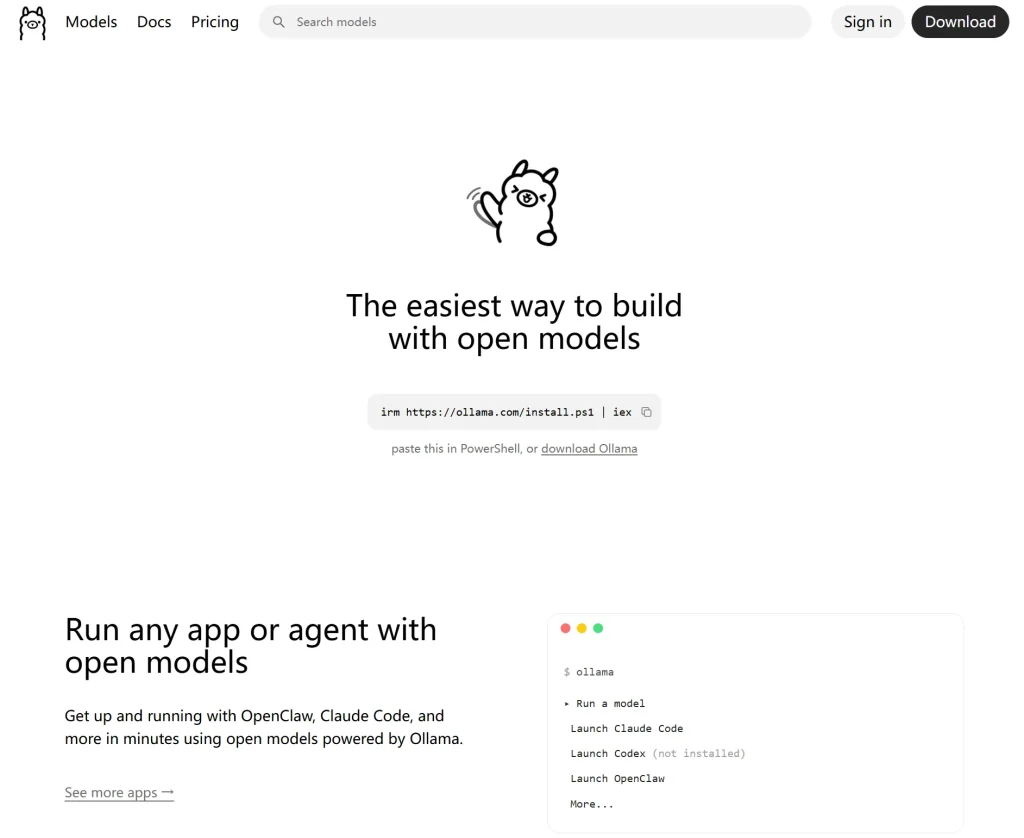
Ollama is an easy-to-use tool for running large language models locally, making it a good choice for developers and anyone who cares about data privacy.
Ollama is an easy-to-use tool for running large language models locally, making it a good choice for developers and anyone who cares about data privacy.
1. Introduction
Ollama is one of the most popular tools for running large language models locally. It supports Windows, macOS, and Linux.
It brings model downloading, management, and execution into one simple package. Once installed, you can run models such as Gemma, Qwen, DeepSeek, and gpt-oss with a single command:
ollama run gemma4Compared with manually configuring Python, CUDA, model files, and inference frameworks, Ollama is much easier to set up.
2. Main Features
Ollama offers the following core features:
- Run large language models locally
- Download, remove, and switch between models
- Access models through a REST API
- Use official Python and JavaScript libraries
- Work with selected OpenAI-compatible API formats
- Support image understanding, tool calling, and structured output
- Customize model settings and prompts with a Modelfile
- Use cloud models that may be too large for local hardware
- Connect with tools such as Open WebUI, Dify, and AnythingLLM
Ollama is not just a terminal-based chatbot. It can also work as the model backend for your own AI applications.
3. Key Advantages
Easy to Install
Ollama’s biggest advantage is that it removes much of the hassle involved in setting up local AI models.
Downloading, launching, and managing models can all be handled through a consistent set of commands.
Better Control Over Privacy
When using a local model, your conversations and files can stay on your own computer. This makes Ollama useful for working with private documents, source code, and internal company materials.
However, cloud models and web search features still require an internet connection and may send data to external services. Not every Ollama feature is completely offline.
Simple Model Switching
Different models can be used for different tasks. You might choose one model for Chinese-language conversations, another for coding, and another for image recognition.
Ollama makes it relatively easy to download and switch between them.
Hardware Still Matters
Ollama simplifies deployment, but it cannot remove the hardware requirements of large models.
Bigger models need more memory, storage, and often more GPU power. Users with ordinary computers should start with smaller or quantized models.
4. Getting Started
Step 1: Install Ollama
On macOS or Linux, run:
curl -fsSL https://ollama.com/install.sh | shWindows users can download the installer or run the following command in PowerShell:
irm https://ollama.com/install.ps1 | iexStep 2: Run a Model
Enter the following command:
ollama run gemma4The first time you run it, Ollama will automatically download the model. Once the download is complete, you can start chatting directly in the terminal.
Step 3: View Installed Models
Use this command to see the models stored on your computer:
ollama listTo remove a model you no longer need:
ollama rm model-nameModel files can take up a lot of disk space, so it is worth deleting unused ones from time to time.
Step 4: Use Ollama with Python
Install the official Python library:
pip install ollamaThen use code like this:
from ollama import chat

response = chat(
    model="gemma4",
    messages=[
        {
            "role": "user",
            "content": "What are the main benefits of running an AI model locally?"
        }
    ]
)

print(response.message.content)
Users who do not enjoy working in the terminal can connect Ollama to graphical interfaces such as Open WebUI or Cherry Studio.
5. Use Cases
Ollama works well for:
- Building a private local AI assistant
- Processing company files and personal documents
- Creating a local knowledge base
- Assisting with programming and code reviews
- Developing chatbot or AI application prototypes
- Comparing different open-source models
- Deploying simple AI tools on an internal network
One thing to keep in mind is that Ollama mainly handles model execution. Features such as document retrieval, user permissions, and enterprise management usually require additional software.
6. Pricing
Running models locally with Ollama is free. There are no software usage fees for models running on your own computer.
Ollama also offers cloud-based plans:
- Free: $0
- Pro: $20 per month or $200 per year
- Max: $100 per month
- Team: Not yet officially available
Although local usage is free, there are still indirect costs, including hardware, electricity, storage, and maintenance.
7. Final Verdict
My main impression of Ollama is that it genuinely makes local large language models easier to use.
In the past, deploying a model often meant dealing with drivers, dependencies, Python environments, and configuration issues. Ollama removes much of that work, allowing ordinary users to get started much faster.
Its strengths are clear: installation is simple, the model selection is broad, the API is practical, and it works with a wide range of third-party tools.
Its limitations are equally real. Large models still require powerful hardware, and performance can be slow on lower-end computers. Beginners may also find the number of available model versions and sizes confusing at first.
Overall, Ollama is a strong choice for developers, local AI enthusiasts, and users who want greater control over their data.
It will not magically turn an average laptop into a high-end AI workstation, but it remains one of the easiest and most practical ways to start experimenting with local large language models.