
Agency Agents
Agency Agents combines an open-source catalog of specialist AI personas with a local desktop app for installing, tracking, updating, and removing them across popular coding assistants.
Agency Agents is an open-source collection of specialist AI personas with a companion desktop app that helps you put those personas into the coding assistants you already use. Instead of asking one generic assistant to behave like a frontend developer, security reviewer, product manager, or researcher every time, you can browse a curated role, inspect its instructions, and install the corresponding file into a supported tool.
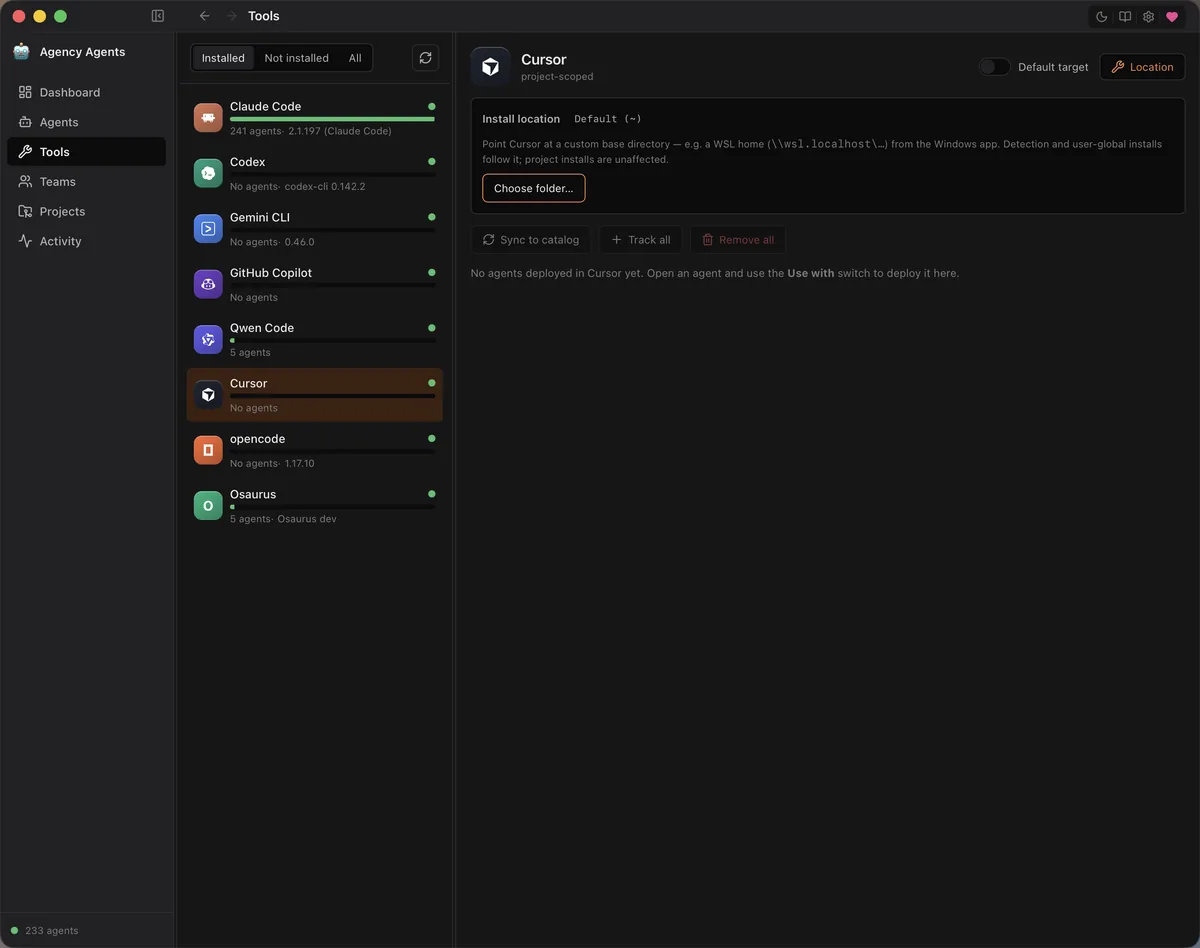
The important distinction is that Agency Agents is not an AI model or an agent runtime. It does not execute tasks by itself. The catalog supplies the role definitions, while the local app installs and tracks them across tools such as Codex, Claude Code, Cursor, Gemini CLI, GitHub Copilot, Qwen Code, OpenCode, and Osaurus. Your chosen assistant and model still do the actual work.
What is Agency Agents?
The project has two closely related parts. The main agency-agents repository is the source catalog: hundreds of Markdown persona files organized into divisions such as engineering, design, marketing, security, product, support, finance, and project management. Each persona describes a mission, working process, deliverables, quality checks, and communication style rather than acting as a one-line prompt.
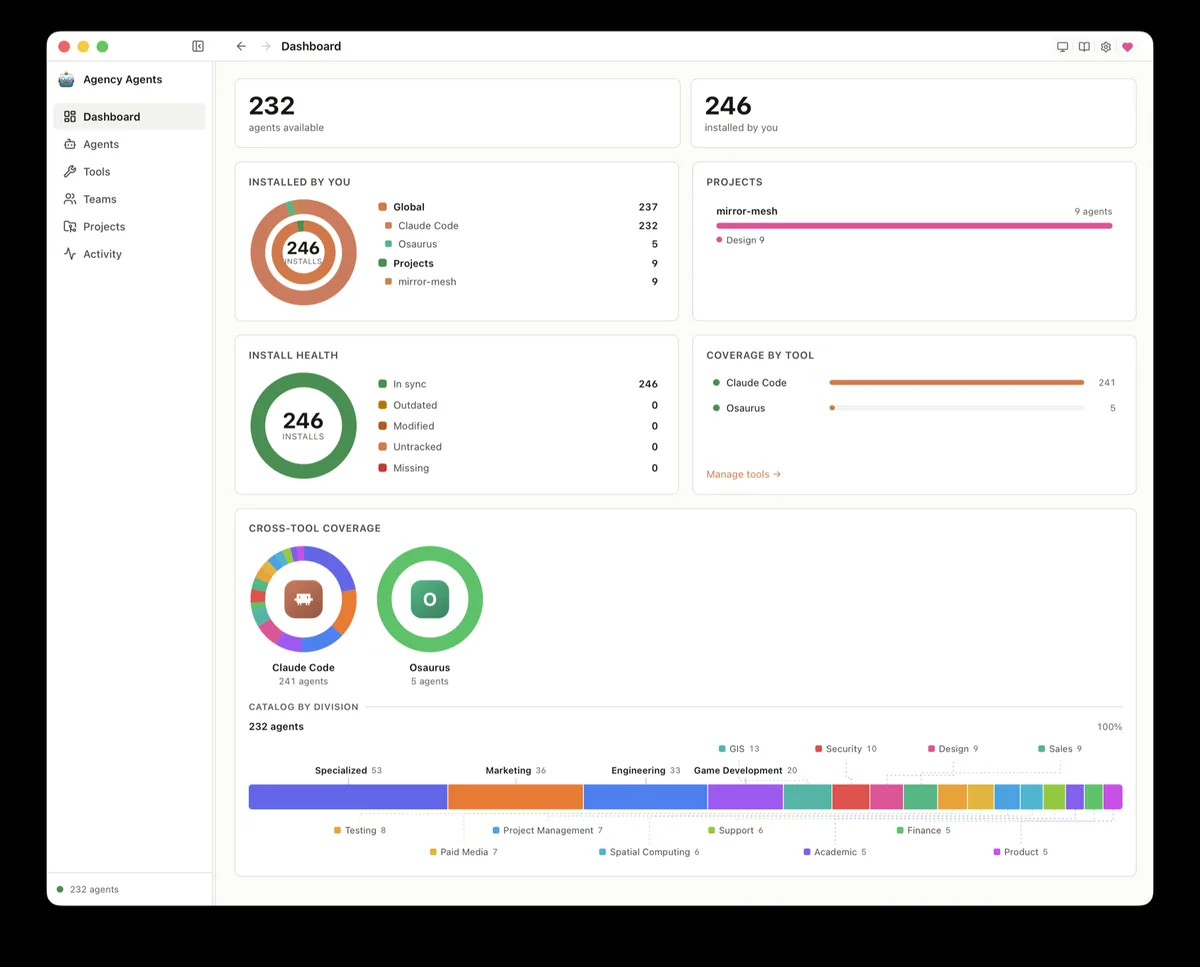
The separate Agency Agents app provides the practical control layer. It is a Tauri 2 desktop application with a Rust backend and Svelte interface. It browses the catalog, renders personas into the format expected by each supported AI tool, records what it installed, detects later changes, and can update or remove app-managed files. Everything stays on your machine.
Main features
- Searchable persona catalog: browse specialist roles by division, read the full source instructions, and install only the agents that fit your work.
- Multi-tool deployment: deterministic renderers convert the same canonical persona into the file format and location used by supported assistants.
- Global or project scope: install a role for every workspace or keep it inside one project so unrelated repositories do not inherit it.
- Local install ledger: the app records the source hash, rendered hash, destination, tool, scope, and project path for files it manages.
- Drift detection: reconciliation classifies installed files as current, outdated, modified, removed, or foreign instead of assuming every copy is still identical.
- Teams and Runbooks: deploy saved groups or scenario-oriented rosters when a task benefits from several complementary roles.
- Update and rollback controls: sync a managed catalog clone, update installed personas, and back up previous bytes before replacement or removal.
- Local-first privacy: the official site says the app has no required account, telemetry, analytics, crash reporting, or third-party tracking pixels.
Product characteristics
Agency Agents treats agent instructions more like managed local packages than random prompt snippets. That is the strongest part of the design. AI tools do not share one package database, so it is easy to forget which persona was copied where or whether a local edit has diverged from the upstream catalog. Hashes, install records, scoped destinations, and reconciliation make that state visible.
The app also reduces the friction of trying the catalog. Windows, macOS, and Linux builds are available, and the graphical workflow does not require cloning the repository or running conversion scripts. Technical users can still use the catalog scripts directly, copy individual Markdown files, or build the app from source.
There are two limits worth keeping in view. First, a polished persona cannot give the underlying model knowledge, permissions, or tools it does not have. Second, specialist instructions can be confident while still being wrong. Review generated code, research, financial reasoning, security advice, and external actions with the same care you would apply to a generic assistant.
The first-party support lists are not perfectly aligned. The current official site names eight first-class app targets, while the v0.3.0 release notes also describe Antigravity support and the catalog scripts expose additional integrations. Check the Tools panel in the build you download before assuming a particular target is available through the desktop app.
How to install and get started
The easiest path is the latest desktop release. Choose the DMG for Apple Silicon or Intel macOS, the EXE for x64 or ARM64 Windows, or the DEB, RPM, or AppImage package for Linux. macOS users can alternatively install the signed and notarized build with Homebrew:
brew tap msitarzewski/agency-agents
brew install --cask agency-agents
Windows users should know that the v0.3.0 installers are not code-signed, so SmartScreen may show a warning. That does not automatically mean the file is malicious, but it is still sensible to download only from the official release page, verify you are on the expected repository, and review the source or wait for signed builds if your organization forbids unsigned software.
After launch, inspect a few personas before installing anything. Pick one AI tool and one project, then deploy a narrowly relevant role such as Code Reviewer or Technical Writer. Open that assistant in the project and confirm that the role appears where expected. Back in Agency Agents, check the Activity or install-health view so you understand what the app recorded and how reconciliation reports later edits.
If the target tool lives in a non-default location, use the Tools panel to set a custom base directory. This is particularly useful when the Windows app needs to reach a WSL home directory. The official v0.3.0 notes also warn that fresh installs may begin with an older bundled catalog snapshot; use the app’s Update from GitHub control when newer divisions or Runbooks do not appear.
Best use cases
- Role-specific coding work: give a coding assistant a consistent code-review, architecture, testing, database, accessibility, or DevOps perspective.
- Project-scoped teams: install a small roster for one repository without cluttering every other AI workspace on the computer.
- Repeatable content workflows: keep research, technical writing, SEO, social, and editorial personas consistent across recurring projects.
- Agent-library evaluation: compare persona definitions, adapt them to internal standards, and keep the modified copies visible through drift checks.
- New-machine setup: use saved teams, portable Agentfiles, and a managed catalog to recreate a known set of roles.
- Mixed-tool environments: manage similar personas for people who use different supported assistants without hand-copying every file.
Pricing and license
Both the catalog and desktop app are published under the MIT License. The software can be downloaded, used, modified, and redistributed under the license’s notice and warranty conditions, and there is no Agency Agents subscription required.
That does not make the complete workflow cost-free. Agency Agents installs instructions into other products; those assistants, model subscriptions, API calls, and connected services keep their own pricing and terms. The persona files also do not grant access to proprietary tools or data named in an example workflow.
Practical evaluation
Agency Agents is most useful when you already rely on an AI coding or work assistant and want specialist roles without losing track of local configuration. The desktop app turns a large prompt catalog into something you can browse, scope, audit, update, and undo, which is much more practical than manually scattering Markdown files across hidden folders.
The trade-off is that personas add process, not intelligence. Installing hundreds of roles at once can create noise, make tool menus harder to navigate, and encourage unnecessary delegation. Start with one or two agents tied to a real task, inspect their source, and judge them by concrete output. If that small trial improves consistency, the catalog and local management layer make Agency Agents a strong open-source option for expanding carefully.