
Macro
Macro is an open-source workspace that unifies email, chat, docs, tasks, calls, CRM, and AI agents with shared team memory.
Quick verdict: Macro is an unusually ambitious open-source work suite: it puts email, team chat, documents, tasks, calls, calendar, CRM, files, and AI agents in one linked workspace. The hosted app is approachable enough to try without running infrastructure, while the AGPL-3.0 repository gives experienced teams a self-hosting path. Its best idea is not another chat box; it is giving agents useful context from the work your team is already doing.
That broad scope is also the main trade-off. Adopting Macro means moving meaningful work and permissions into one system, and self-hosting the full stack is a serious engineering project. Start with a personal hosted workspace, test a few real workflows, and only then decide whether consolidation or self-hosting is worth the operational commitment.
What is Macro?
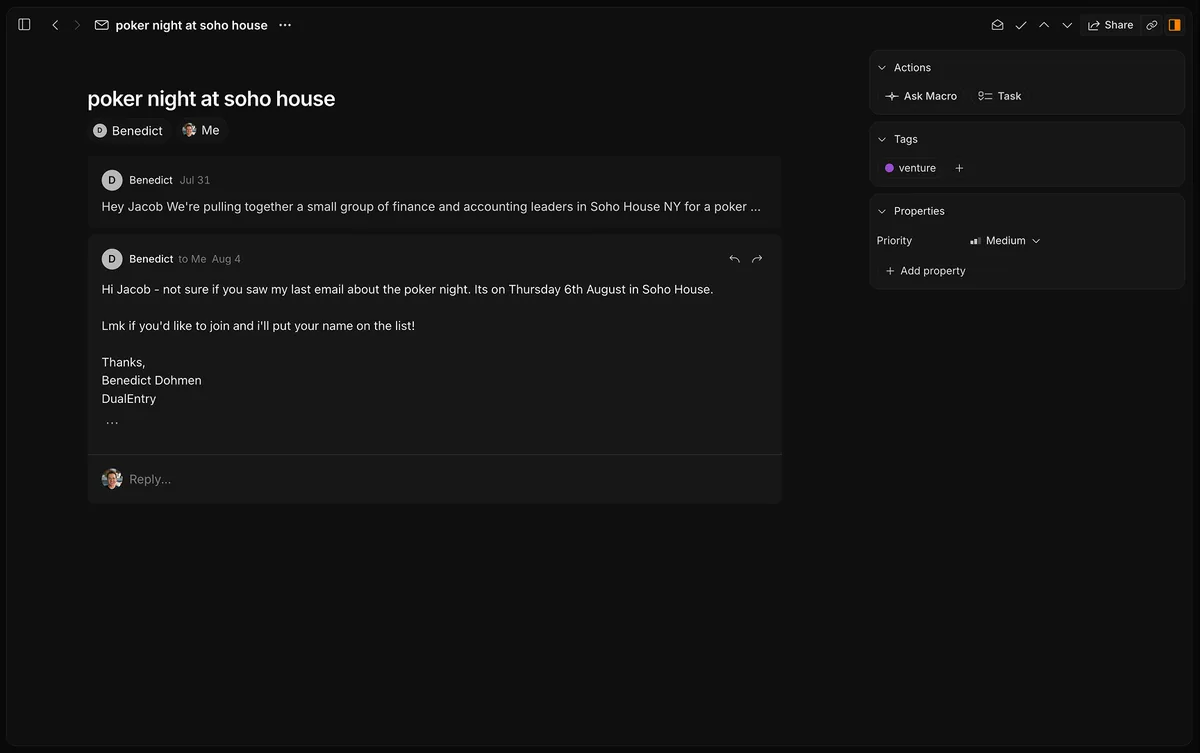
Macro is an all-in-one workspace built around a shared, bidirectional data model. An email can become a linked task, a document can mention a customer record, a channel can keep the discussion that explains a decision, and an agent can work across the items its user is allowed to see. The product is available as a hosted web app, an iOS app, current macOS and Linux desktop builds, and source code for self-hosting.
The project is actively maintained. At the time of this review, the latest stable GitHub release is v2026.8.14.0, with desktop assets labeled 2.5.0, and the repository is licensed under AGPL-3.0. Macro describes itself as fully open source rather than open core. Its hosted service remains the primary focus, so the easiest evaluation path is the browser rather than the local deployment guide.
Main features
- One inbox: triage multiple Gmail or Google Workspace accounts alongside messages, mentions, and assigned tasks.
- Linked work blocks: email, channels, markdown documents, tasks, calls, files, canvas boards, pull requests, contacts, and companies can reference each other with @mentions.
- Unified memory: personal and team memory is refreshed nightly from email, messages, tasks, documents, calls, and connected tools.
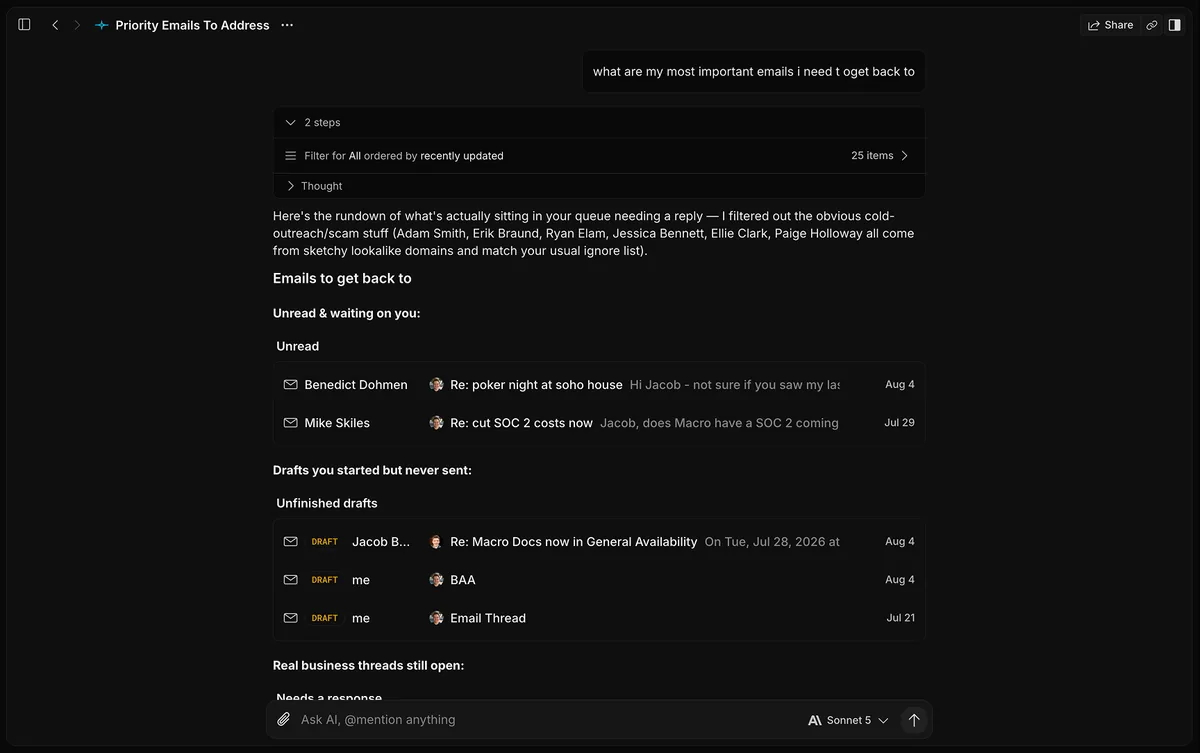
- Workspace-aware agents: agents can search, draft email, edit documents, update tasks and CRM records, read call transcripts, post in channels, and use the web within the user’s permissions.
- Automations: a saved prompt can run on a schedule for jobs such as an inbox brief, a weekly recap, or stale-task triage.
- MCP access: Claude Code, Codex, Cursor, and other compatible clients can connect to the same workspace; the hosted MCP endpoint is included on the Free plan.
- Keyboard-first work: shortcuts, fast navigation, and a split-window layout reduce the need to keep many separate browser tabs open.
Product strengths and trade-offs
Macro’s strongest feature is context continuity. Most assistants know only the current conversation or whatever files you manually attach. Macro can answer from the latest email, task, document, channel, and call transcript in the workspace, while direct @mentions let you pin an exact source when broad search would be too vague. Agents inherit the user’s permissions, and their actions are attributed to that user.
That power deserves caution. The official agent guide sensibly recommends starting prompts with “draft, don’t send” until you trust a workflow. Nightly team memory can be genuinely useful, but teams should review what is shared, how call recordings are handled, and whether access rules match their privacy requirements. A single connected workspace reduces context loss only if its permissions are kept tidy.
Platform coverage is uneven. Macro runs in modern browsers and offers iOS, macOS, and Linux options, but there is no Android app yet. Mobile leaves out desktop splits, keyboard shortcuts, and some connector settings. The documentation also moves quickly: the latest release notes mention Outlook account linking while the public pricing FAQ still says Outlook is coming soon, so confirm availability in your account before planning a migration.
How to get started
- Open the official site and choose Start for free. The hosted route requires no installation.
- Connect a Google account, then finish the guided setup. Macro estimates about 15 minutes from a fresh account to a working workspace.
- Add an inbox and explore the unified inbox before inviting a team. Turn one real email into a task or link it from a document to see whether the shared model fits your habits.
- Open the Agents block and begin with a read-only request such as a summary of outstanding work. Use “draft, don’t send” for any email or channel workflow.
- If you use an external AI client, authorize the MCP server from Settings only after checking the workspace permissions available to your account.
Self-hosting is a separate, advanced path. The official local stack uses Nix and Docker Compose plus Postgres, Redis, LocalStack, OpenSearch, Kafka, and FusionAuth. Stub credentials can bring up the development environment, but live Gmail, GitHub, Stripe, and other integrations need their own approved credentials. This is appropriate for an engineering team, not a one-command personal install.
Where Macro fits
Macro makes the most sense for a founder, small company, product team, or operations group that already feels the cost of jumping among Gmail, Slack, Notion, Linear, a CRM, and separate AI chats. It can also suit an individual who wants a fast multi-account inbox with documents, tasks, and an assistant in the same place. Customer follow-up, support handoffs, meeting-to-task workflows, weekly team summaries, and project-status questions are natural tests.
It is a weaker fit if your organization depends on mature enterprise controls or integrations that Macro has not yet documented, if Android is essential, or if you only need a simple personal chatbot. Large migrations should begin with a small workspace and a clear export plan. Self-hosting may appeal to teams that want source access and infrastructure control, but it does not automatically reproduce the hosted service’s managed approvals, iOS distribution, SOC 2 operation, or compliance support.
Pricing and license
The hosted personal plan is free, with limits on storage and AI plus a “Sent with Macro” email signature. The paid plan is $40 per seat per month, billed monthly, and includes the full workspace with broader AI and storage access. Enterprise pricing is custom for deployment, SSO, compliance, self-hosting arrangements, and support. Teams do not have a free hosted plan.
The source repository uses AGPL-3.0. You may inspect, modify, and self-host it under that license, but network-deployed derivative works carry AGPL source-sharing obligations. Macro offers separate licensing for organizations that need different terms. Self-hosting avoids a hosted subscription, not the cost of servers, backups, upgrades, monitoring, integration credentials, and operator time.
My take
Macro is more convincing as a connected work system than as a checklist of AI features. The useful part is the chain from conversation to task to document to agent action, with links and permissions preserved along the way. The public AGPL repository, current release cadence, hosted trial, and detailed product documentation make it possible to evaluate that idea without relying on a polished landing page alone.
I would not move an entire company into it on day one. Try the Free plan with one inbox, one active project, and one cautious agent workflow. If the unified inbox saves time and the agent can answer project questions without constant manual context, Macro may replace several disconnected tools. If the integration gaps or governance work dominate the experiment, you will have learned that before a larger migration.