
aisuite
aisuite is an MIT-licensed Python library that unifies chat completions across LLM providers and adds tools, MCP, policies, state, artifacts, and tracing for agents.
Quick verdict: aisuite is a lightweight Python library that gives you one OpenAI-style interface for several LLM providers, then adds an agent layer for tools, MCP, policies, state, artifacts, and tracing. It is a practical choice when you want to compare models or keep provider switching out of your application logic. Just remember that a shared API smooths over SDK differences; it does not make model behavior, pricing, or rate limits identical.
The project comes from Andrew Ng and is developed in public under the MIT License. It is aimed at developers rather than end users: there is no chat window to install, but there is a compact library you can add to an existing Python app, notebook, evaluation harness, or agent service.
What is aisuite?
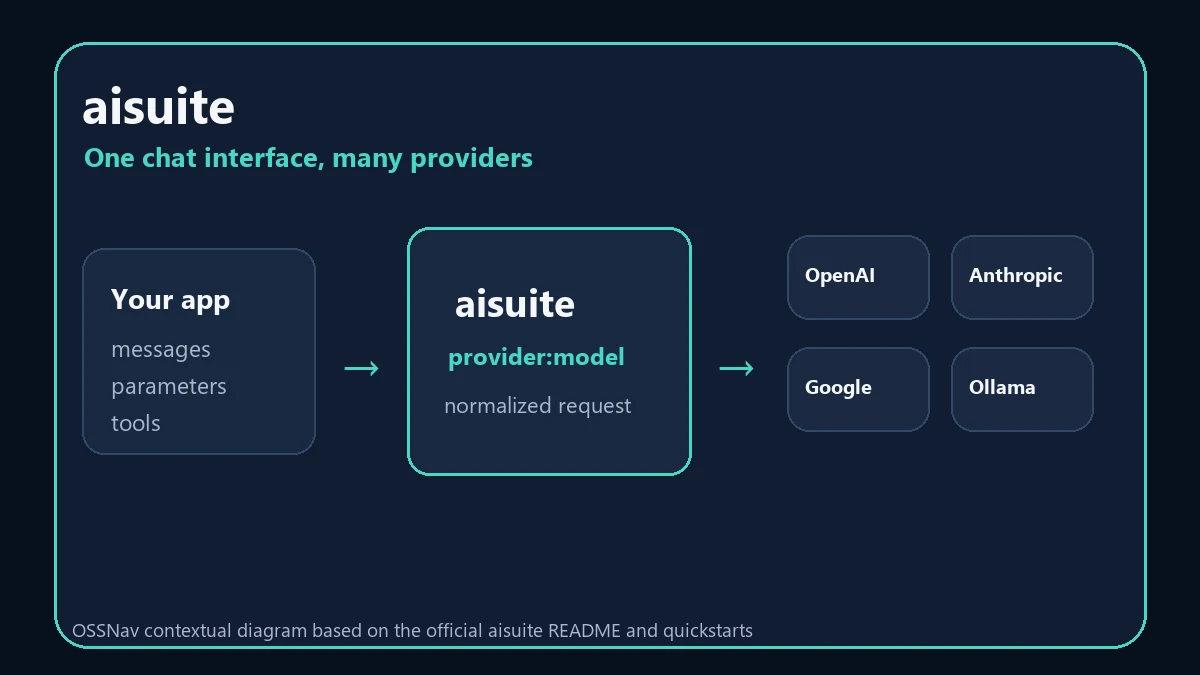
aisuite has two useful layers. The first is a unified Chat Completions API for providers such as OpenAI, Anthropic, Google, Mistral, Cohere, Hugging Face, AWS, OpenRouter, and Ollama. A model name follows the simple provider:model pattern, so changing providers can be as small as changing one string.
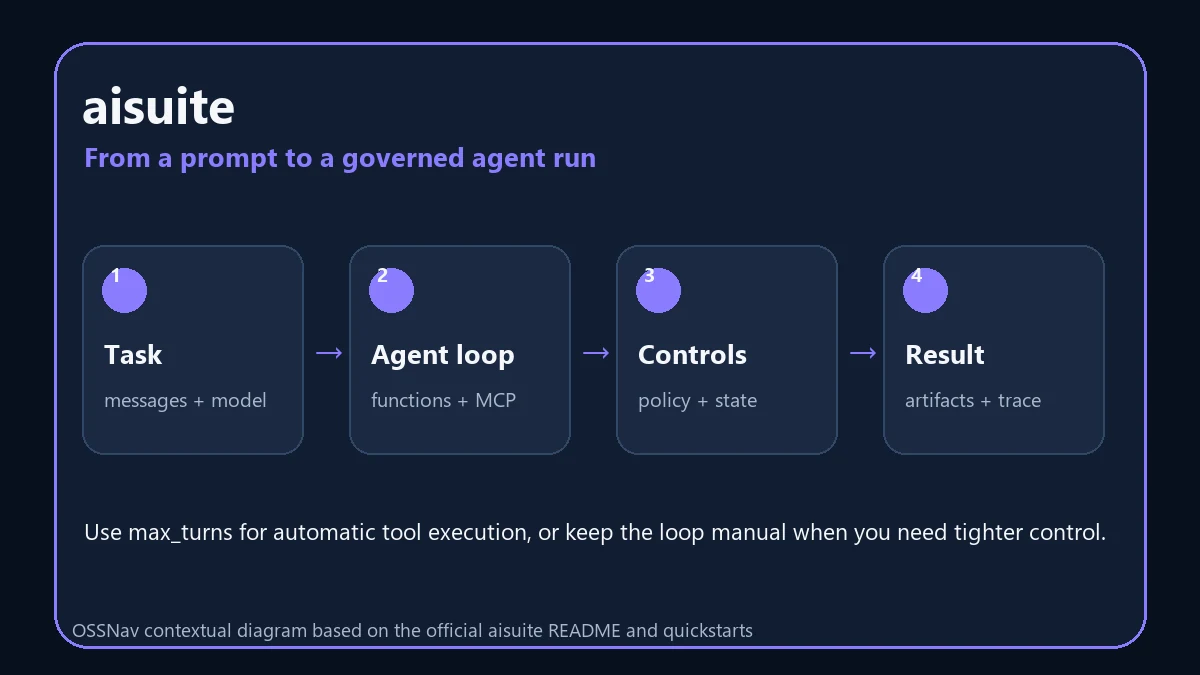
The second layer is for agents. You can pass normal Python functions as tools, let aisuite generate their schemas, run a bounded multi-turn tool loop, connect MCP servers, or build a longer-lived agent with policies and persistent state. The result is closer to a small application toolkit than a thin collection of provider wrappers.
Main features
- Unified chat completions: use one OpenAI-style request and response shape across supported providers.
- Provider switching: route requests with names such as
openai:gpt-4oorollama:llama3.3. - Streaming and async calls: use a consistent loop for providers that support streaming, with an asynchronous variant when needed.
- Python function tools: pass regular functions and let aisuite create schemas and execute tool calls for a limited number of turns.
- Agents, toolkits, and MCP: attach file, Git, and shell toolkits or connect compatible MCP servers.
- Production-oriented controls: add approval or allow/deny policies, resumable state stores, artifacts, and execution traces.
Product strengths and trade-offs
The nicest part is how little application code has to care about a provider SDK. That makes aisuite handy for model comparisons, fallback experiments, and teams that do not want every prompt workflow tied to one vendor. Optional extras also keep a basic installation lighter: you can install only the SDKs for the providers you actually call.
The abstraction has sensible limits. Providers still differ in supported parameters, tool behavior, context windows, streaming details, safety systems, and error responses. You should test each target model rather than assuming a successful request means equivalent output. The agent features also deserve careful boundaries: shell, file, and MCP tools can do real work, so approval policies and narrow roots are part of the setup, not an optional cleanup step.
How to install and use aisuite
The current project configuration requires Python 3.10 or newer. Start in a virtual environment, install the base package plus the provider extra you need, and set API keys only for providers you will call. If you use Ollama locally, the official quickstart notes that no provider API key is required.
python -m venv .venv
# Windows: .venv\Scripts\activate
# macOS/Linux: source .venv/bin/activate

pip install 'aisuite[anthropic]'
Then create a client and choose a model with the provider:model format:
import aisuite as ai

client = ai.Client()
response = client.chat.completions.create(
    model="anthropic:claude-sonnet-4-6",
    messages=[{"role": "user", "content": "Summarize this design in three bullets."}],
)

print(response.choices[0].message.content)
For a first agent experiment, pass a small, low-risk Python function as a tool and set max_turns to a low number. That lets aisuite execute requested tool calls and return their results to the model. Keep the loop manual when you need custom validation or selective execution, and use the documented policy classes before giving an agent access to files, Git, a shell, or external MCP tools.
Best use cases
- Comparing the same prompt or evaluation set across several hosted and local models.
- Keeping a prototype portable while the team is still choosing an LLM provider.
- Adding tool calling to an existing Python service without hand-writing schemas for every function.
- Building an internal agent that needs explicit approval rules, resumable state, artifacts, or traces.
- Connecting a model to selected MCP servers while keeping provider choice separate from tool integration.
It is a weaker fit if you need a polished no-code interface, a hosted gateway with centralized budgets and admin controls, or guaranteed identical behavior across models. aisuite is a library for developers; you still own deployment, authentication, monitoring, retries, and the user experience around it.
Pricing and license
aisuite is free and open source under the MIT License, including commercial use subject to the license notice. The library itself has no subscription fee. Your real costs come from the LLM providers you call, any hosted infrastructure, and the engineering work needed to test and operate the application. Local Ollama models can avoid per-request API fees, but they shift the cost to your own hardware and maintenance.
My take
aisuite feels most useful when provider choice is genuinely unsettled or when you want a clean path from simple completions to controlled tool use. The API is small enough to try in an afternoon, while the agent layer gives you room to grow without immediately adopting a much larger framework.
I would start with one hosted model and one local model, run the same small test set through both, and log latency, cost, output quality, and failures. If the abstraction stays out of your way, keep it. If you depend on a provider-specific feature, isolate that exception rather than forcing it through a common shape. Used that way, aisuite is a practical portability layer instead of another abstraction you have to debug.