
jcode
jcode is a Rust-based open-source AI coding agent with terminal, desktop, headless, memory, background-task, and multi-agent workflows.
jcode is an open-source AI coding agent built in Rust for developers who prefer a fast terminal workflow but still want richer agent features around it. It can work interactively in a TUI, run headlessly, open a desktop workspace, manage long-running commands, connect to multiple model providers, and coordinate several coding agents in one repository. The interesting part is not simply that it can generate code; it is the surrounding harness for keeping real development work organized.
The project is moving quickly and publishes prebuilt releases for Windows, macOS, Linux, and FreeBSD. Its current README also includes project-run performance and memory comparisons. Those numbers are useful for understanding the design goal, but they should be treated as measurements on the stated machines and versions, not as a universal promise for every model, repository, or operating system.
What is jcode?
At its core, jcode is a local coding-agent harness. You launch it in a repository, choose or authenticate a model provider, and give it a development task. The agent can inspect files, edit code, run commands, track todos, resume sessions, and use configured MCP tools. A server process supports multiple clients and sessions, while the terminal and desktop interfaces provide different ways to follow the same kind of work.
Provider support is broad. The official documentation lists built-in login flows for Claude, OpenAI/ChatGPT/Codex, Gemini, GitHub Copilot, Azure OpenAI, Alibaba Cloud Coding Plan, Fireworks, MiniMax, LM Studio, Ollama, and custom OpenAI-compatible endpoints, among others. That flexibility is useful if your team already pays for a supported subscription or wants to connect a local model, but availability, model quality, and cost still depend on the provider you choose.
Main features
- Terminal, desktop, and headless workflows: use the interactive TUI for daily work, the desktop workspace for spatial session panels, or
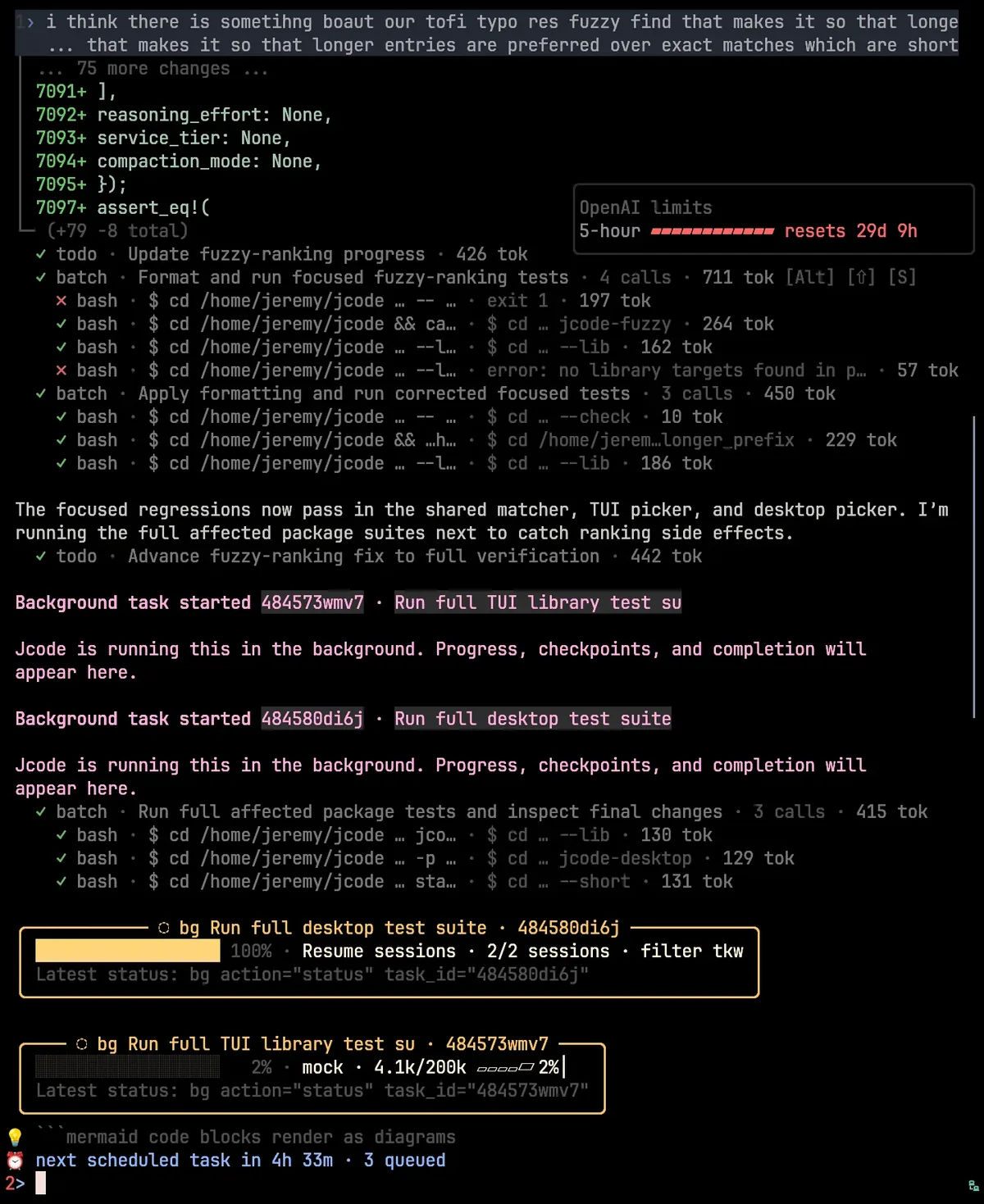
jcode runfor unattended tasks. - Background task management: long commands can continue outside the foreground turn, with progress cards and tools to list, inspect, tail, wait for, or cancel them.
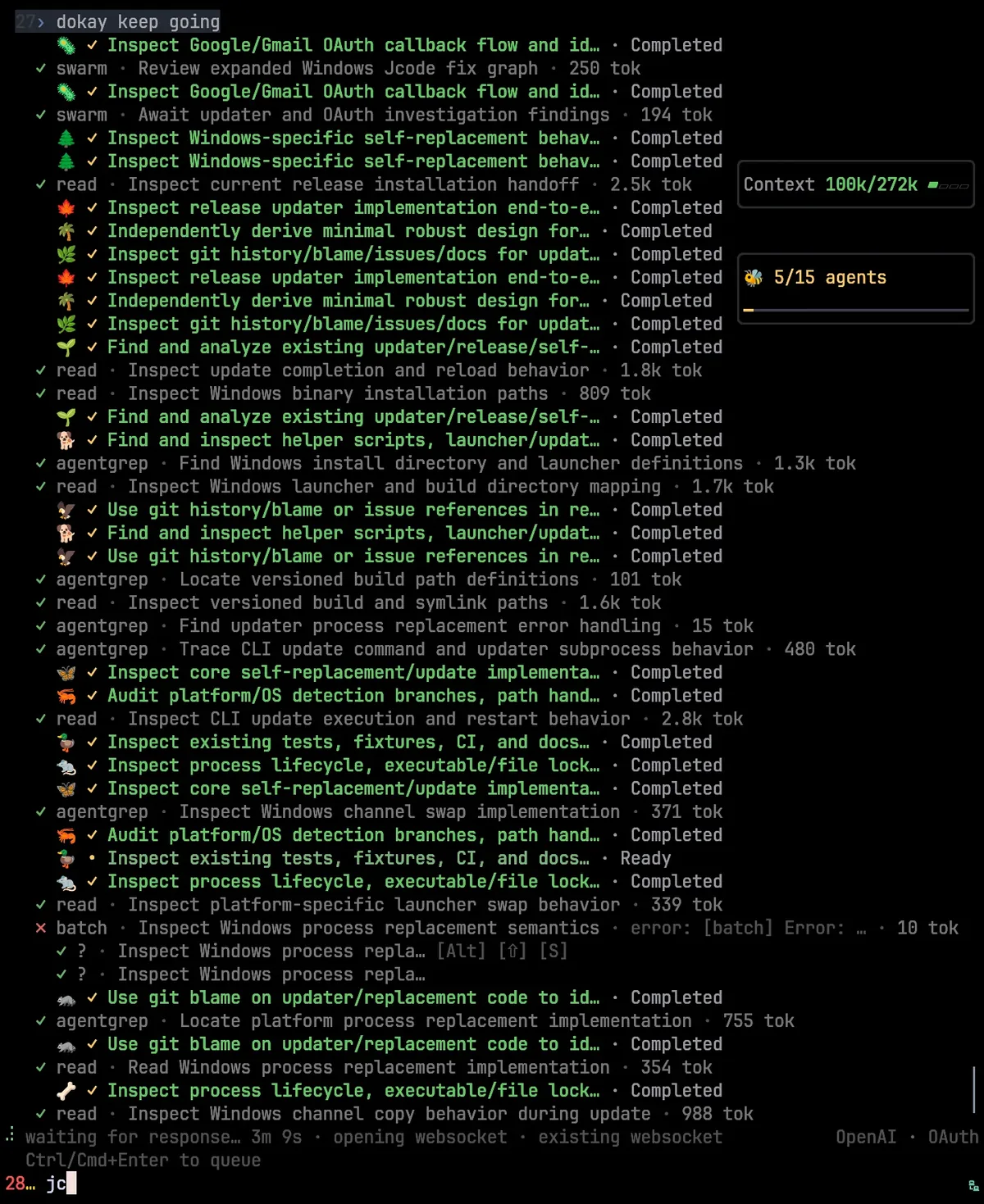
- Multi-agent swarms: several agents can work in the same repository, message each other, and receive notifications when another agent changes a file they have read.
- Agent memory: jcode can retrieve related memories semantically, consolidate stored information, and search prior sessions when older context becomes relevant.
- Provider flexibility: built-in OAuth flows, direct API providers, named OpenAI-compatible profiles, and local endpoints such as Ollama or LM Studio cover many deployment preferences.
- MCP and hooks: cached MCP schemas make tools visible at session start, while hooks and configuration files let teams shape how the harness behaves.
- Rich terminal rendering: side panels, diffs, todo lists, links, images, Mermaid diagrams, information widgets, and custom scrollback keep more context visible without leaving the terminal.
Product characteristics
jcode feels aimed at developers who want the agent itself to stay lightweight while the workflow around it becomes more capable. The Rust implementation, fast startup target, append-only context strategy, prompt-cache awareness, and background MCP connections all support that direction. Multi-session scaling is a first-class concern rather than an afterthought, which matters if you routinely keep several repositories or tasks active.
The other defining characteristic is persistence. A coding agent often stops after an intermediate success, loses track of a long command, or forgets why an earlier choice was made. jcode addresses those problems with todos, automatic continuation behavior, resumable sessions, background tasks, and memory retrieval. None of this removes the need for review: a persistent agent can keep pursuing the wrong objective just as efficiently as the right one, so clear acceptance criteria still matter.
Safety is configurable rather than magical. Because the tool can edit files and execute commands, you should decide which repositories, credentials, MCP servers, and provider accounts it may access. Start in a disposable branch or test repository, inspect diffs, run the project test suite, and keep secrets out of prompts and logs. This is a capable development tool, not a substitute for repository permissions or human code review.
How to install and get started
The official installer provides prebuilt binaries. On macOS or Linux, the documented command is:
curl -fsSL https://jcode.sh/install | bashOn Windows 11 with PowerShell 5.1 or newer, use:
irm https://jcode.sh/install.ps1 | iexAs with any command that downloads and executes a remote script, review the installer first if your environment has stricter security requirements. The Windows documentation says the installer selects the correct x64 or ARM64 release, verifies it against the release SHA256SUMS file, and installs under %LOCALAPPDATA%\jcode. You can confirm the installed version with jcode --version.
Next, configure a provider. For example, jcode login --provider openai starts the OpenAI login flow, while jcode login --provider claude and jcode login --provider gemini cover other built-in options. Local endpoints can use the documented Ollama, LM Studio, or custom OpenAI-compatible profiles. Once authentication is ready, open a repository in your terminal, launch jcode, and begin with a bounded task such as explaining a failing test or drafting a small refactor. Review the proposed changes before expanding to larger autonomous work.
Best use cases
- Repository exploration: ask the agent to trace behavior across unfamiliar modules, summarize architecture, or locate the code behind a bug report.
- Test-driven fixes: give it a failing test and a clear definition of done, then let it edit, run, and iterate while you review the result.
- Long builds and migrations: background-task controls are useful when compilation, tests, data generation, or validation takes longer than one model turn.
- Parallel investigations: swarms can split independent research or implementation threads while coordinating file changes in the same repository.
- Remote and scripted work: headless runs and resumable authentication flows fit SSH sessions, automation, and development machines without a permanent browser session.
- Multi-provider experiments: teams can compare supported hosted subscriptions, API providers, and local models without changing the overall coding workflow.
Pricing and license
The jcode repository is released under the MIT License, so the source code can be used, modified, and redistributed under that license’s notice and warranty conditions. There is no jcode subscription required to download the open-source software.
The complete workflow may still cost money. A supported ChatGPT, Claude, Copilot, or other subscription can have its own terms and limits; direct API providers charge according to their pricing; and local models require your own hardware and electricity. MCP services can add separate fees or data-handling terms as well. Check each provider independently instead of assuming the MIT license covers models, hosted services, or third-party integrations.
Practical evaluation
jcode is worth a close look if you already live in the terminal and find ordinary coding agents too fragile around long jobs, multiple sessions, memory, or coordinated parallel work. Its provider range and Windows support also make it easier to evaluate without committing to one model vendor or one operating system.
The trade-off is complexity. This is a fast-moving agent harness with a large feature surface, not a simple autocomplete extension. The best first trial is a small real repository, one provider you already understand, and an objective you can verify with tests. If session persistence, background work, and swarms genuinely improve that workflow, jcode can become a practical daily tool. If you only need occasional inline suggestions, a lighter editor extension may be easier to maintain.