
Open WebUI
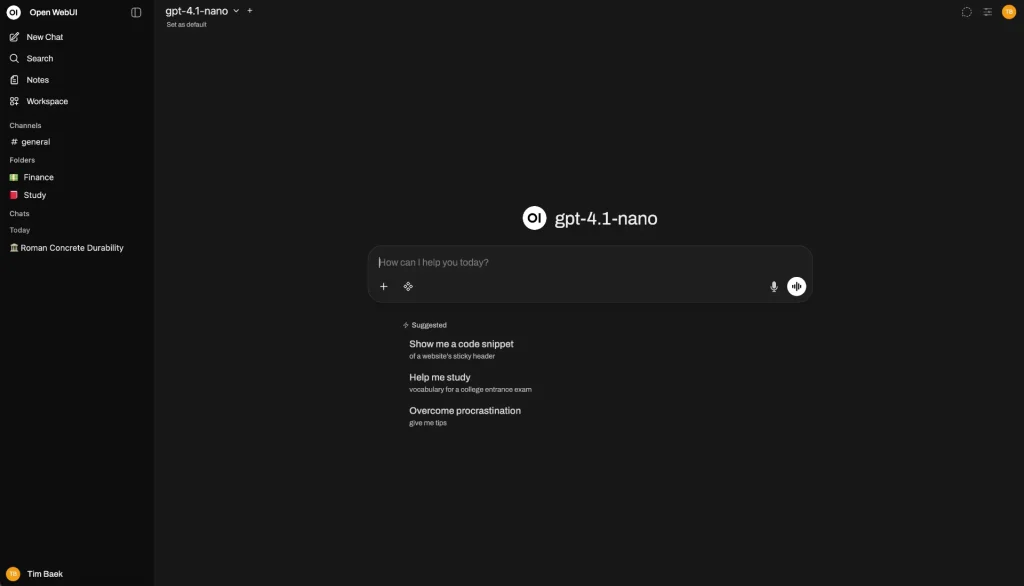
Open WebUI is an open-source, self-hosted AI platform. It first became popular as a web interface for Ollama, but it can now connect to local models, OpenAI-compatible APIs, knowledge bases, and external tools.
A while back, I was once again deep into the rabbit hole of running large language models locally, trying to make good use of an idle machine at home that happens to have a graphics card. After testing out a whole bunch of frontends, there’s one tool I now find myself using practically every single day — and honestly, it’d be a shame not to sit down and chat about it.
It’s called Open WebUI, and the project is at: https://github.com/open-webui/open-webui
1. Introduction
Open WebUI is an open-source, self-hosted AI platform. It first became popular as a web interface for Ollama, but it can now connect to local models, OpenAI-compatible APIs, knowledge bases, and external tools.
You can think of it as a ChatGPT-style interface that you control yourself. Conversations and uploaded files can be stored on your own computer or server, making it suitable for privacy-conscious users, people who regularly switch between models, and teams building internal AI tools.
2. Key Features
Open WebUI offers the following core features:
- Connects to Ollama, local models, and OpenAI-compatible APIs
- Supports document-based Q&A with PDF, Word, and other files
- Lets users build reusable knowledge bases
- Creates customized assistants with prompts, tools, and documents
- Supports web search, code execution, and tool calling
- Includes user, group, and model permission management
- Works with images, voice, and other multimodal content
For individual users, model management and document Q&A are especially useful. For teams, knowledge bases and access controls provide greater value.
3. Product Highlights
The biggest advantage of Open WebUI is control. When it is deployed locally, your data does not have to be stored entirely on third-party platforms, and you are not locked into a single AI provider.
Its interface is polished and easy to navigate. Even without much technical experience, users can quickly start chatting, switch models, and upload files.
The downside is that the platform has become increasingly feature-rich, which also makes its settings more complicated. Users who only need a basic chatbot may find it slightly overwhelming. Production deployments also require regular updates, backups, and security maintenance.
4. Installation Guide
The easiest way to install Open WebUI is with Docker.
After installing Docker and Ollama, run:
docker run -d \
  -p 3000:8080 \
  --add-host=host.docker.internal:host-gateway \
  -v open-webui:/app/backend/data \
  --name open-webui \
  --restart always \
  ghcr.io/open-webui/open-webui:main
Once the container is running, open the following address in your browser:
http://localhost:3000Create an account to access the admin panel. Models already downloaded through Ollama should normally appear automatically.
For example, you can download a model with:
ollama pull llama3.2To use cloud-based models, enter the API endpoint and API key in the admin settings. For document Q&A, create a knowledge base in the workspace and upload your files.
Remember to back up your data regularly and review the release notes before upgrading.
5. Use Cases
Open WebUI works well for:
- Building a personal, locally hosted AI assistant
- Sharing AI models through a NAS or private server
- Searching company policies, manuals, and internal documents
- Comparing responses from different AI models
- Creating customer service, writing, or contract-review assistants
Knowledge-base answers are not always completely accurate, so important information should still be checked against the original documents.
6. Pricing
The Open WebUI community edition is free to self-host and does not charge by the number of users.
However, you may still need to pay for servers, GPUs, electricity, and third-party model APIs. Enterprise features such as white labeling, service-level agreements, and professional support require a custom quotation.
It is also worth reviewing the project’s current licensing terms before using it commercially or removing its branding.
7. Overall Review
Open WebUI is one of the more polished self-hosted AI platforms currently available.
Its strengths are clear: it has a mature interface, supports a wide range of models, provides useful knowledge-base features, and gives users greater control over their data. It works well as an Ollama interface for individuals and as a shared AI portal for teams.
Its weaknesses are equally practical. You need to deploy and maintain it yourself, advanced configurations can become complicated, and local model performance depends heavily on your hardware.
Overall, Open WebUI is a strong choice for users who do not mind a little setup and maintenance. Those who prefer not to deal with Docker, servers, or backups may find a fully managed cloud AI service more convenient.