
OpenMontage
OpenMontage is an open-source agentic video production system that plans, sources, generates, composes, renders, and reviews editable videos.
Quick verdict: OpenMontage is less a one-click clip generator and more an agent-operated production room. You give it a brief, reference material, or footage; its pipelines can research the topic, propose a treatment, write a script, plan scenes, source or generate assets, compose the edit, render it, and review the result. The public engine is unusually broad and inspectable, but it is built for people comfortable with an AI coding agent, Python, Node.js, FFmpeg, and provider choices. If you want an editable workflow instead of a mysterious prompt-to-video box, it is worth studying.
What is OpenMontage?
OpenMontage is an AGPL-3.0-licensed video production system designed to run through coding agents such as Claude Code, Codex, Cursor, Copilot, and Windsurf. Rather than stopping at a generated shot, it organizes production as a sequence of explicit stages: research, proposal, script, scene plan, assets, edit, composition, render, and review. Project files, checkpoints, decisions, and renders stay visible, so a creator can inspect what happened and revise a specific stage.
The repository describes more than a dozen production paths, including animated explainers, documentary montages, screen demos, talking-head edits, podcast repurposing, localization, cinematic pieces, and short-form clip extraction. It can work with paid image, video, voice, and music APIs, but it also documents zero-key paths using local text-to-speech, open archives, stock media, Remotion, HyperFrames, and FFmpeg. That flexibility is the point: OpenMontage selects and coordinates tools; it is not itself a foundation video model.
Main features
- Pipeline-driven production: dedicated stage instructions move a project from brief and research through script, scenes, assets, composition, and delivery.
- Reference-led planning: a reference video can be analyzed for pacing, scene structure, transcript, and visual treatment before the system proposes original directions.
- Multiple production modes: workflows cover explainers, documentary footage, animation, podcast clips, software demos, localization, cinematic trailers, and other practical formats.
- Provider abstraction: local tools, open media sources, and commercial generation APIs sit behind a selection layer that records why a provider was chosen.
- Cost and approval gates: the project estimates spend, records decisions, and can pause before expensive asset generation rather than discovering the bill after rendering.
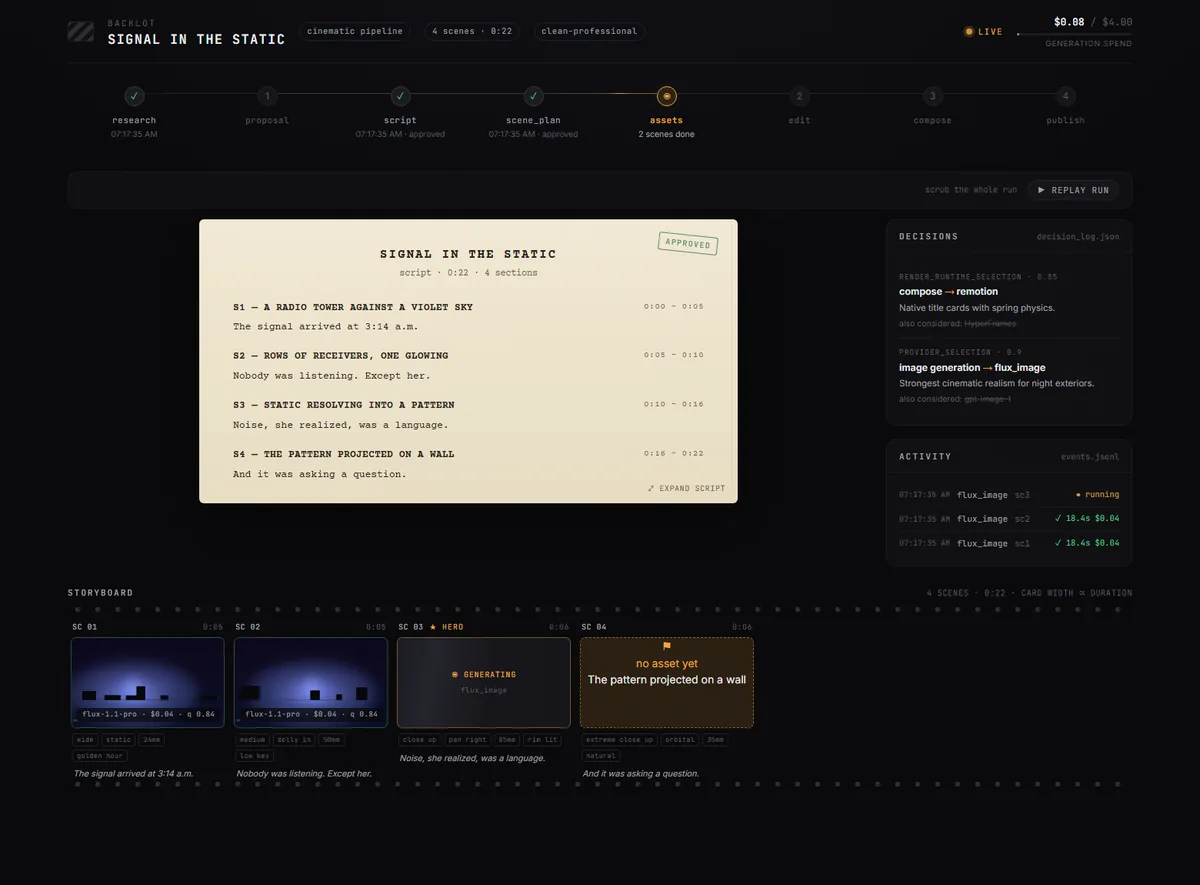
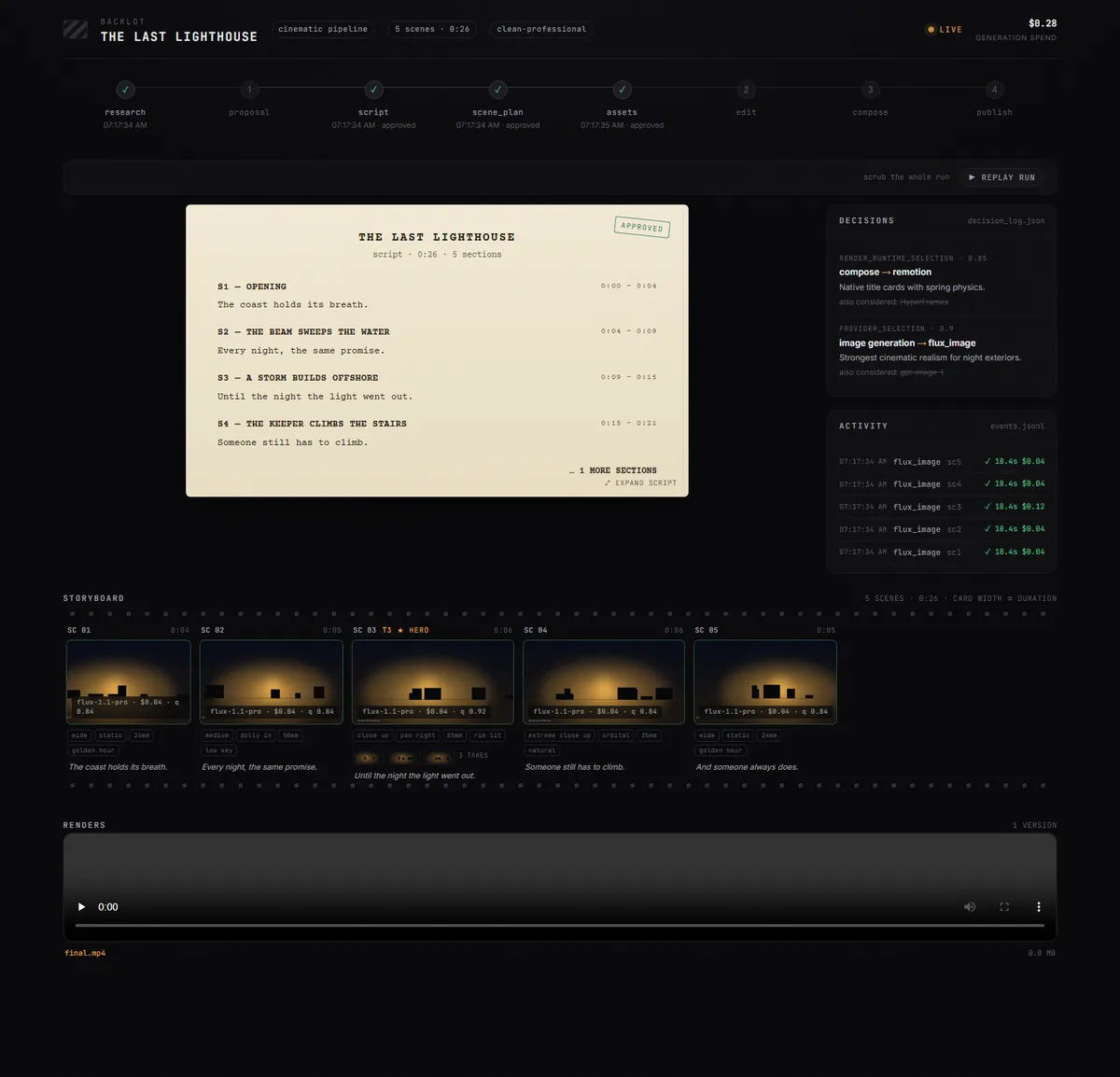
- Backlot review board: a local browser view reads the project directory and shows stage state, script, storyboard, events, costs, and completed renders.
- Local composition and review: Remotion, HyperFrames, and FFmpeg handle editable composition, subtitles, audio, encoding, frame sampling, and delivery checks.
The provider menu is large, but “supported” does not mean every integration is equally mature or free. Some workflows require API keys, some depend on a capable local GPU, and others rely on third-party stock or archive availability. Before committing to a format, use the repository’s capability-envelope commands and check the current provider documentation for the exact branch you install.
What makes the product different?
The strongest idea here is that creative work becomes a reviewable build process. A script is an artifact, a scene plan is an artifact, provider selection is logged, generated media has a manifest, and checkpoints preserve progress. That structure makes it easier to ask for a targeted change—replace one scene, tighten the opening, switch a provider—without treating the entire video as an opaque prompt result.
OpenMontage also distinguishes between image-based animation and footage-led editing. Its documentary path can assemble searchable motion footage from open archives and stock sources, while other pipelines can call commercial generators or local models. This is useful when a project needs actual B-roll, branded screen capture, voice, captions, and a timeline rather than six generated clips placed end to end.
The trade-off is complexity. This repository contains a production framework, many tools, many instruction files, and a wide provider surface. There are currently no tagged GitHub releases, so the main branch should not be treated like a stable versioned product. For repeatable work, pin a reviewed commit, record the Python and Node environments, and test upgrades against a disposable project before moving an active production.
How to install and use OpenMontage
The documented prerequisites are Python 3.10 or newer, FFmpeg, Node.js 18 or newer, and an AI coding assistant that can read files and run commands. On macOS or Linux, the shortest official path is to clone the repository and run the setup target:
git clone https://github.com/calesthio/OpenMontage.git
cd OpenMontage
make setup
Windows users have a separate PowerShell path in the README: create a virtual environment, install the Python requirements, install dependencies inside remotion-composer, add Piper TTS, and copy .env.example to .env. That is more involved than an installer. Keep the first run in a dedicated folder, do not commit the completed .env, and start with a short zero-key explainer or the simulated Backlot run before adding paid providers.
Next, open the repository in your coding agent and describe a bounded deliverable: topic, audience, duration, format, tone, supplied assets, and whether paid generation is allowed. Review the proposed pipeline and cost estimate, approve the script and scene plan, then inspect the contact sheet before expensive assets are generated. Use Backlot with python -m backlot open to follow projects and review checkpoints. The important habit is to approve intermediate artifacts rather than waiting for a final render to discover a bad creative direction.
Best use cases
OpenMontage fits technically comfortable creators and small production teams that repeat structured work. Good examples include a product launch assembled from a brand kit and dashboard capture, an educational explainer with narration and captions, a documentary montage built from licensed archives, a batch of social clips from a podcast, or a localized version of an existing video. It is especially attractive when decisions, spend, and provenance must remain visible.
It is a weaker fit for someone who wants an instant consumer app, guaranteed style consistency, or a supported enterprise service. The public workflow expects command-line setup and agent supervision. The separate OpenMontage Studio shown on the official site is described as private alpha with a beta still forthcoming, so do not mistake the polished site mock-up for a generally available desktop release.
Privacy and rights need active attention. Composition and project files can remain local, but web research, stock services, and model providers may receive queries, prompts, reference images, audio, or footage. Read each provider’s terms before sending confidential assets. Open archives and stock libraries also carry different licenses; keep the provenance report, verify attribution, and make sure uploaded reference videos and music are yours or licensed for the intended use.
Pricing and license
The public OpenMontage engine is licensed under GNU AGPL-3.0. You can download and run it without a software subscription, and documented zero-key workflows use tools such as Piper TTS, Remotion, HyperFrames, FFmpeg, and open media sources. Hardware, storage, agent access, and engineering time are still real costs. Local video models may also require substantial GPU memory and disk space.
Commercial image, video, voice, music, or model providers charge separately. The repository’s examples show that a short generated production may cost a few dollars, but that is an example, not a price guarantee; provider, model, duration, resolution, retries, and number of shots change the total. The official site says local work is not metered and describes a free Studio plus paid generation credits, but Studio is not yet generally available. Treat current repository workflows and your own provider accounts as the dependable pricing boundary.
AGPL-3.0 is a strong copyleft license with source-sharing obligations that can matter when a modified version is offered over a network. It does not grant rights to third-party models, stock footage, fonts, voices, music, or user-supplied media. Review those components separately and get qualified advice if you plan to embed a modified service in a commercial product.
Practical review
OpenMontage is ambitious, but its most convincing feature is not the number of integrations. It is the decision to make video production legible: stages, files, costs, provider choices, approval gates, and renders can all be inspected. That is a healthier foundation than promising that one prompt will reliably produce a finished campaign.
I would approach it as a production framework under active development. Start with a 30-to-60-second zero-key project, pin the commit, review every asset license, and confirm that the Backlot checkpoints are useful to your process. Only then add premium providers or valuable client footage. For teams willing to supervise an agent and maintain the environment, OpenMontage offers a rare combination of open workflow, editable outputs, cost visibility, and real post-production tooling.