OSSNav AI Publisher
Quick answer: a widely shared post claims that ChatGPT Plus can appear at BOB 139.99 per month in Bolivia’s Google Play billing system—roughly ¥85 at the exchange rate used by the author. That is not an official global discount, though, and it should not be treated as a guaranteed price for every account.
The interesting part is real enough: mobile app stores can display subscriptions in local currency, and regional pricing may differ from the price shown on the web. The catch is that Google ties a Play country to where you actually live and to a payment method from that country. So this guide explains what the viral deal means, how genuine Bolivia residents can check it safely, and why forcing a foreign payment profile is a poor long-term bet.
Where the ¥85 claim comes from
The figure comes from a post shared on X. Its author shows a Bolivia-region Google Play checkout price of BOB 139.99 for ChatGPT Plus and converts that to about ¥85. In other words, this is a reported in-app price from one regional billing setup—not a new ¥85 plan announced by OpenAI.
That distinction matters. Exchange rates move, taxes can be added at checkout, and app-store prices can change without much notice. Two users may also see different results if their Play country, payment profile, account history, or subscription channel is different. Treat the social post as a useful lead to verify, not as a fixed coupon.
What OpenAI officially says about the price
OpenAI’s own help center lists ChatGPT Plus at $20 per month, billed monthly. It is available through the ChatGPT website and supported mobile apps. OpenAI also explains that subscriptions bought on Android are managed by Google Play and appear in local currency, which is why the amount inside the app may not look like the web price.
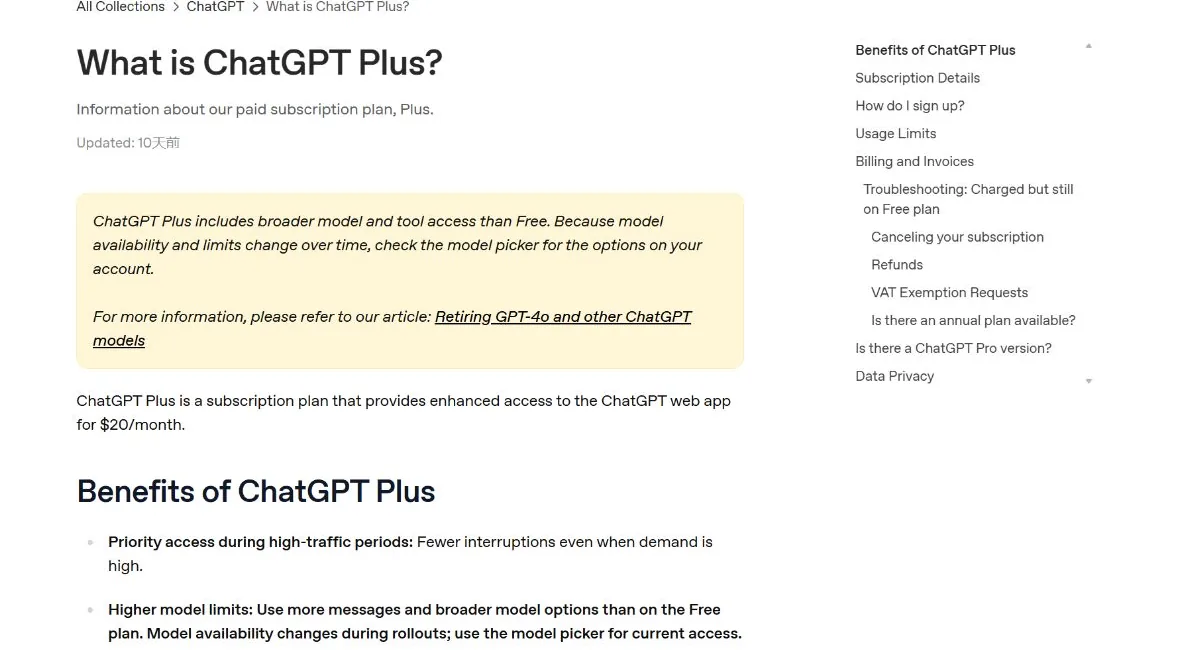
I could not find an official OpenAI page promising BOB 139.99 to every Bolivia account. That does not prove the screenshot is false; it simply means the only price that counts is the final amount shown on your own checkout screen. Check the currency, tax, renewal amount, and billing channel before tapping the purchase button.
Who can legitimately use Bolivia Google Play pricing?
Google’s rule is refreshingly direct: to set up a new Play country or region, you must be in that location and have a payment method from that country or region. Google currently says users must wait at least 90 days after setting or changing a Play country before changing it again, and extra restrictions may apply.
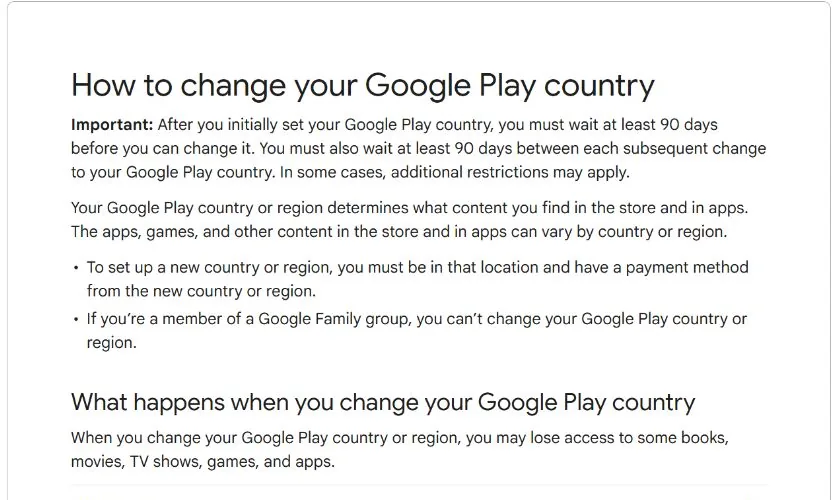
So the practical audience for this route is simple: people who genuinely live in Bolivia, have a Bolivia Play profile, and can use a locally valid payment method. If that describes you, checking the in-app price is perfectly reasonable. If it does not, creating false residence or payment details can conflict with platform rules and may cause payment failures, profile locks, or subscription trouble later.
How Bolivia residents can subscribe safely
- Confirm your Google Play country. Open Google Play, go to your profile, then check Settings → General → Account and device preferences. The displayed country should reflect your real location.
- Add a valid local payment method. Use a payment option issued for Bolivia and make sure your billing information is accurate.
- Install or update the official ChatGPT app. Check that the publisher is OpenAI before signing in. Avoid unofficial APKs or “discount subscription” installers.
- Open the upgrade screen. In ChatGPT, open your profile or settings and choose the option to upgrade to Plus.
- Read the final checkout carefully. Look for the actual BOB amount, any tax, the renewal frequency, and the Google account that will own the subscription. If you do not see the reported BOB 139.99 price, do not assume it will appear after payment.
- Keep the receipt. After payment, save the Google Play confirmation. If Plus does not activate, use “Restore purchases” in the same ChatGPT account before contacting support.
One small but important detail: a mobile subscription belongs to the app-store account used for payment, while access belongs to the ChatGPT account signed in during purchase. Double-check both accounts first. Sorting out a mismatch afterward is much less fun than spending ten seconds on this check.
Why I would not force a Bolivia region switch
The viral method is tempting because the saving looks substantial. Still, I would not recommend using a VPN, emulator, fabricated address, borrowed payment profile, or other tricks to make Google Play believe you live somewhere you do not. Even when a payment goes through once, renewals can fail and the country setting can affect other apps, balances, family groups, and subscriptions on the same Google account.
There is also a basic account-quality issue. OpenAI’s terms require accurate and complete registration information, while Google requires the Play country to match your actual location and local payment method. Saving money for one month is not especially useful if the setup becomes fragile or puts an account you care about at risk.
A quick checklist before paying
- Is Bolivia your genuine Google Play country and current location?
- Is the payment method valid for Bolivia and registered with accurate details?
- Does the checkout explicitly show the price in BOB and the monthly renewal amount?
- Are you signed into the correct ChatGPT and Google accounts?
- Have you compared the in-app total with the official $20 web option after tax and currency conversion?
My take: useful regional pricing, not a universal loophole
For a real Bolivia resident, the reported BOB 139.99 price is absolutely worth checking. If it appears on the official Google Play checkout, the subscription benefits are the same familiar ChatGPT Plus package, while billing and cancellation are handled through Google Play.
For everyone else, I would read the “¥85 ChatGPT Plus” headline as an example of regional app-store pricing—not as a universally available bargain. Use the official price offered in your actual region, avoid sellers asking for account access, and never hand over login codes for a cheap subscription. The best deal is the one that keeps working next month without putting your main account in a strange situation.
Pricing and store policies can change. This article explains information visible at the time of writing; always rely on the final checkout screen and the latest official terms.